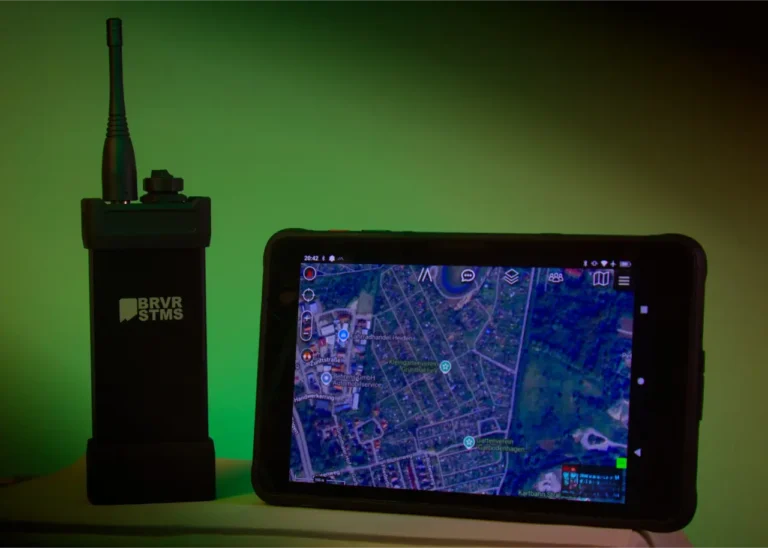
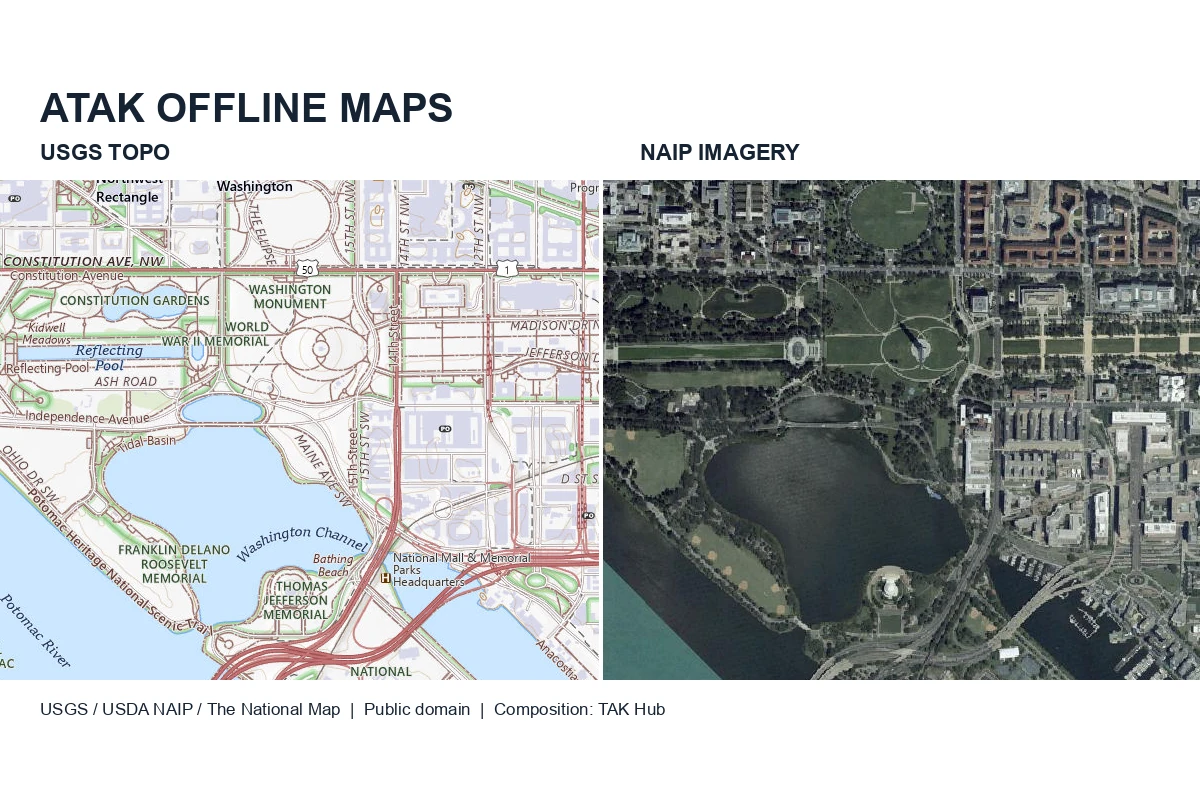
If you use ATAK in the field, your maps have to work without a cell signal. For the United States, the best free sources are USGS Topo for the base map and USDA NAIP for aerial imagery. You can get them into ATAK three ways: save an area through an XML map source, import downloaded files, or build your own MBTiles with QGIS or GDAL.
This guide is for SAR, CERT, ARES, wildland fire, law enforcement, EMS, Civil Air Patrol and National Guard teams, and for anyone else running ATAK-CIV off the grid.
One thing up front: an XML map source is not an offline map. It only tells ATAK where to fetch tiles. You have to download the area before you lose coverage.
ATAK maps at a glance
- USGS Topo is the free US base map, with tiles up to zoom 16.
- NAIP is public-domain aerial imagery at 60 cm or 30 cm per pixel.
- ATAK reads raster MBTiles, GeoTIFF, JPEG2000 and georeferenced PDFs.
- Joshua Fuller’s ATAK-Maps ZIP is a collection of map sources, not downloaded maps.
- Every map package needs a test in airplane mode before you rely on it.
Download ATAK maps in five steps
- Save the USGS Topo XML from Option 1 as
usgs_topo.xmland open it with Import Manager. - Go to Maps & Favorites → MOBILE → Online and choose USGSTopo.
- Expand Map Source, tap Select Area, draw your area, pick the zoom levels and start the download.
- Switch to Local and select the new tileset.
- Turn on airplane mode, restart ATAK and check the edges and every zoom level.
The steps are for ATAK on Android. iTAK and WinTAK use different menus.
Why prepare offline maps in ATAK before deployment?
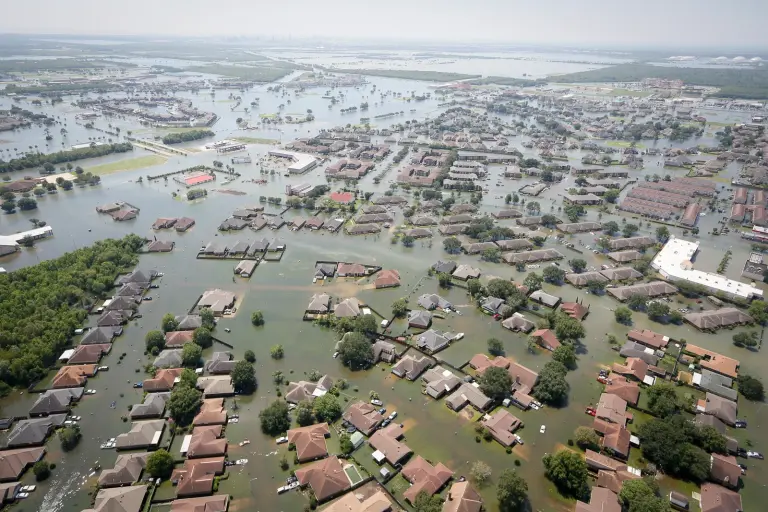
Coverage tends to drop out exactly where you need maps: in canyons and river drainages, during evacuations, after the power goes down. Without a connection, ATAK only shows what is stored on the device, and everything else stays gray. Download staging areas, access roads and alternate routes, plus detailed imagery for the places your teams will actually work.
Maps alone don’t connect your team. Position reports and messages still need a network, a radio link or a reachable TAK Server. Our California wildfire article shows how that plays out in a real response.
Which map formats does ATAK support?
| Purpose | Formats |
|---|---|
| Base maps and imagery | Raster MBTiles, GeoTIFF, JPEG2000, raster GeoPackage, imagery KMZ |
| Downloaded tile caches | OSMDroid SQLite |
| Online map sources | XML for tile services and WMS |
| Overlays | KML/KMZ, GPX, Shapefile |
| PDF maps | Georeferenced PDF (GeoPDF), imported as an image overlay |
| Elevation | DTED, SRTM HGT |
MBTiles is just a container. For a base map it has to hold raster tiles; vector tiles from tools like Planetiler leave the map blank. Our TAK glossary explains the terms.
Where to download ATAK maps from official US sources
| Source | What you get | How it gets into ATAK |
|---|---|---|
| USGS The National Map | Topo base map, imagery, shaded relief, hydrography | XML map source, then download an area in ATAK |
| USDA NAIP | Leaf-on aerial imagery, 60 cm or 30 cm | Download files and import them |
| USGS topoView | Current US Topo and historical quadrangles | GeoPDF or GeoTIFF |
| USFS FSTopo | Forest Service topo maps | GeoTIFF or georeferenced PDF per quadrangle |
| BLM geospatial data | Surface management (land ownership) | Overlay or your own raster |
| NOAA Custom Charts | Nautical charts from NOAA ENC data | Georeferenced PDF |
| FAA VFR Raster Charts | Sectional, terminal area and helicopter charts | GeoTIFF ZIPs |
| USGS 3DEP | Elevation models | Convert to DTED (see below) |
Federal map data is public domain. Some older US Topo maps carry third-party notices in the map collar; keep those with the file. The BLM layer shows who manages the land. It is not a survey and doesn’t tell you whether a road is open, so check closures separately.
USGS map sources and zoom limits
| Service | Content | Highest zoom |
|---|---|---|
| USGSTopo | Topographic base map | 16 |
| USGSImageryOnly | Aerial imagery | 16 |
| USGSImageryTopo | Imagery with map labels | 16 |
| USGSShadedReliefOnly | Shaded relief | 16 |
| USGSHydroCached | Hydrography overlay | 16 |
The service descriptions list zoom levels up to 23, but past 16 the cached services return no tiles. For more detail, download NAIP files (Option 2).
Map licenses, Google Maps and community packs
USGS data is free and public domain. USGS asks you to credit it like this:
Map services and data available from U.S. Geological Survey, National Geospatial Program.
Put a SOURCES.txt next to your map files with the provider, dataset, imagery date and download date. That way whoever gets the package later knows what they are looking at.
Google, Esri and Bing show up in a lot of ATAK setups because community packs include them. Being able to load the tiles doesn’t mean you’re allowed to store them. Google’s terms prohibit bulk downloading and caching tiles, and offline areas saved in the Google Maps app can’t be moved into ATAK. Bing’s terms also prohibit caching. Esri allows offline use only through its own ArcGIS export workflows. If your agency has its own license agreement, check what it covers. Otherwise USGS and NAIP give you everything you need, and you can share them freely.
OpenStreetMap data is open, but the tile server isn’t a free download source. The OSMF tile policy forbids bulk downloads from tile.openstreetmap.org. If you want OSM offline, render the data yourself into raster tiles, under the ODbL.
Option 1: Add a USGS source and download ATAK maps
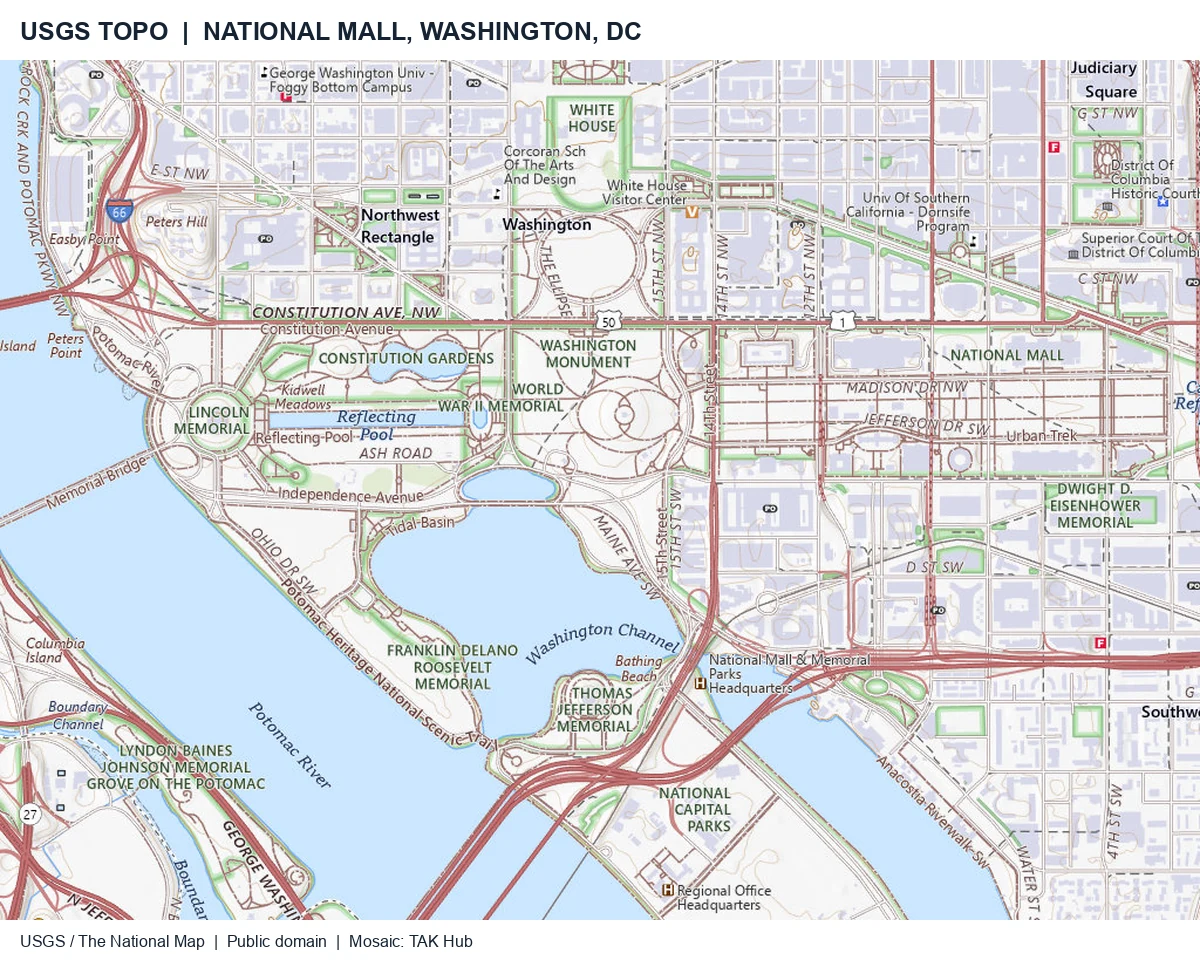
For a small operating area, USGS Topo is the fastest way to get going.
Import the XML map source
Save this as a text file named usgs_topo.xml (UTF-8, no .txt at the end):
<?xml version="1.0" encoding="UTF-8"?>
<customMapSource>
  <name>USGSTopo - USGS / The National Map</name>
  <minZoom>1</minZoom>
  <maxZoom>16</maxZoom>
  <tileType>jpg</tileType>
  <url>https://basemap.nationalmap.gov/arcgis/rest/services/USGSTopo/MapServer/tile/{$z}/{$y}/{$x}</url>
</customMapSource>
Note the dollar signs in the placeholders and the order: ArcGIS tile URLs use zoom/row/column, so {$y} comes before {$x}. Import the file with Import Manager, or copy it to atak/imagery/mobile/mapsources/ and restart ATAK.
The other USGS services work the same way. Replace USGSTopo with the service name and use png as the tile type for USGSHydroCached. Hydrography is a transparent overlay, so put a base map under it.
Select an area and zoom range, then switch to Local
- Go to Maps & Favorites → MOBILE → Online and pick the USGS source.
- Expand Map Source and tap Select Area. Draw a rectangle or a free-form area, or use an existing shape or route.
- Choose the zoom range and check the tile count. Start with a small test area.
- Download the area as a named tileset.
- Switch to Local and select that tileset.
Then turn on airplane mode, restart ATAK and pan out to the edges and the access roads. ATAK warns you at around 300,000 tiles, so split large areas into several downloads. If you’re new to ATAK, start with our beginner tutorial.
For whole counties or larger, file downloads (Option 2) are faster and easier on the USGS servers.
Option 2: Import NAIP imagery and US map downloads
The National Map Downloader shows which NAIP imagery is available for your area and when it was flown. USGS offers it as compressed JPEG2000. USDA also has county mosaics in its NAIP Box collection.
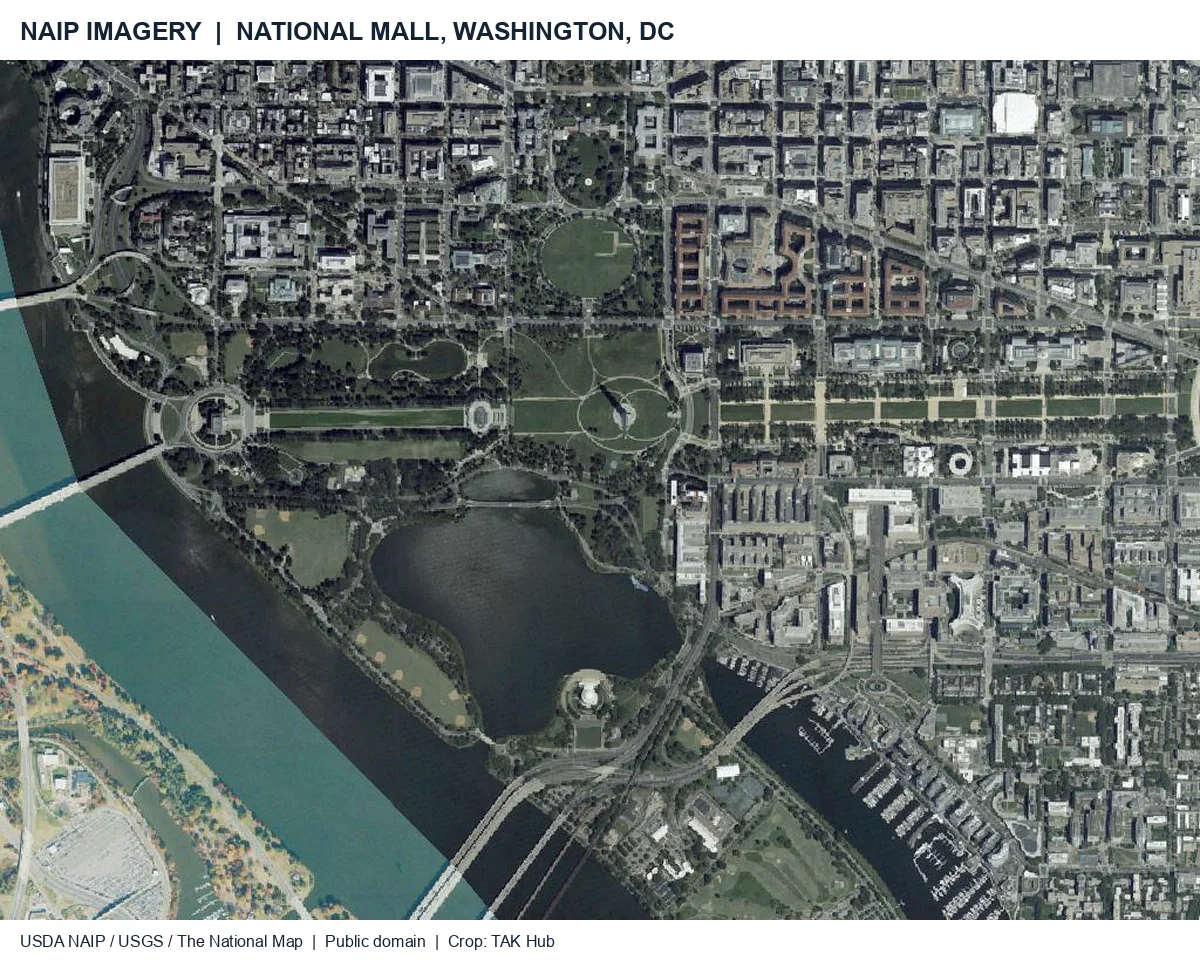
GeoTIFF and JPEG2000 files are the easiest to import. You can also get NAIP as GeoTIFF from AWS (requester pays, so the transfer costs money) or from Microsoft Planetary Computer.
Four-band NAIP has an extra near-infrared channel; for normal color use bands 1 to 3. Import the files with Import Manager or put them in atak/imagery/ and restart ATAK. GeoPDFs from topoView or FSTopo come in as image overlays.
For aviation charts, use the official FAA GeoTIFF downloads and keep an eye on the effective dates. NOAA shut down its old raster chart tile service, so tile URLs for it that still circulate online no longer work. Charts in ATAK are for situational awareness, not navigation.
Option 3: Create and import your own raster MBTiles
A raster MBTiles file holds all the tiles for an area in a single file. That makes it easy to hand out and to swap for a newer version later.
Create MBTiles with QGIS
- Load your NAIP imagery, FSTopo GeoTIFFs or other data.
- Set the styling and add your own layers if needed.
- In the Processing Toolbox, open Generate XYZ tiles (MBTiles).
- Set the extent and zoom range. Use JPEG at about quality 80 for imagery and PNG for maps with text.
- Export the file and test it in ATAK.
QGIS converts to Web Mercator on its own. The QGIS documentation explains every setting.
Create MBTiles with GDAL
On the command line, GDAL does the same job, here for 8-bit RGB or four-band NAIP files:
gdalinfo rgb0.tif
gdalbuildvrt -strict imagery.vrt rgb0.tif rgb1.tif
gdal_translate -of MBTILES -b 1 -b 2 -b 3 \
  -co TILE_FORMAT=JPEG -co QUALITY=80 \
  imagery.vrt county_2026-10.mbtiles
gdaladdo -r average county_2026-10.mbtiles 2 4 8 16 32 64
gdalinfo shows the band order before you start. -b 1 -b 2 -b 3 keeps the color bands and drops infrared. All files in the VRT need the same projection; -strict stops with an error instead of quietly skipping files that don’t fit. The GDAL MBTiles driver converts the result to Web Mercator.
Import and test the MBTiles
Copy the file to the device, open it with Import Manager and select it under Local. Then restart in airplane mode and go through every zoom level out to the edges.
What about MOBAC?
Mobile Atlas Creator downloads tiles from the same online services, so the same terms apply. For files you’ve already downloaded, QGIS and GDAL are the more direct route.
How much storage do offline ATAK maps need?
Each extra zoom level roughly quadruples the number of tiles. For 1,000 km² (about 386 square miles) of imagery at 40° north, including all lower levels:
| Highest zoom | Ground resolution | Tiles (approx.) | Storage at 15–25 kB/tile |
|---|---|---|---|
| 14 | 7.3 m/pixel | 380 | 6–10 MB |
| 16 | 1.8 m/pixel | 6,100 | 91–152 MB |
| 17 | 0.9 m/pixel | 24,300 | 365–608 MB |
| 18 | 0.5 m/pixel | 97,200 | 1.5–2.4 GB |
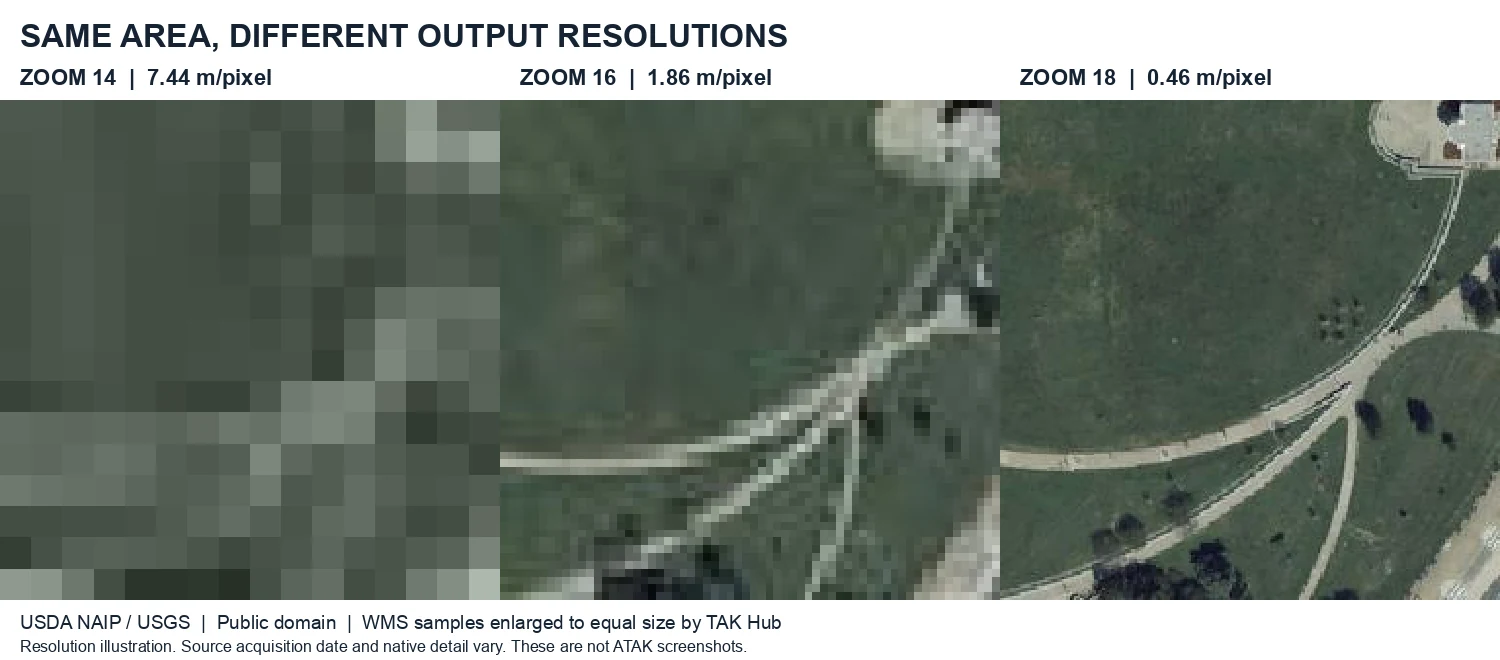
The real size depends on the terrain and the compression, so try a small test area first. Zoom 17 and 18 only make sense with your own MBTiles from NAIP, since the USGS map sources stop at 16. To save space, use a coarse overview for the whole area and detailed imagery only where you need it.
Distribute offline maps to multiple ATAK devices
| Method | Good for |
|---|---|
| USB or SD card | Large MBTiles and elevation packages |
| Mobile device management | Agency devices with planned updates |
| Data packages / TAK Server | XML map sources, overlays, smaller areas |
| Send from ATAK | Single tilesets |
Use names with area and date, such as county_naip_2026-10.mbtiles, and include the SOURCES.txt. If you want to distribute maps through a server, take a look at our TAK Server services.
Prepare elevation for ATAK: 3DEP, SRTM and DTED
Elevation profiles and line of sight need separate elevation data; imagery doesn’t contain any. The coarse DTED0 data ATAK can stream online isn’t there without a connection either.
USGS 3DEP offers elevation models at 1/3 arc-second (about 10 m) and, in many areas, at 1 m from lidar. In the lower 48 states the heights are usually in NAVD88. DTED expects heights above EGM96, so you need to convert them, not just reproject.
This example converts one cell in Colorado (106–105° W, 38–39° N) from a NAD83/NAVD88 elevation model:
PROJ_NETWORK=ON gdalwarp \
  -s_srs EPSG:4269+5703 -t_srs EPSG:4326+5773 -vshift \
  -to ONLY_BEST=YES -to ALLOW_BALLPARK=NO \
  -r bilinear -ot Int16 -dstnodata -32767 \
  -te -106.00013888888889 37.99986111111111 \
      -104.99986111111111 39.00013888888889 \
  -ts 3601 3601 -of GTiff navd88.tif w106_n38_egm96.tif
mkdir -p DTED/w106
gdal_translate -of DTED w106_n38_egm96.tif DTED/w106/n38.dt2
PROJ_NETWORK=ON lets GDAL download the grids it needs for the conversion, so run this with an internet connection. If your file uses a different coordinate system, change -s_srs. Afterwards, compare a few points against known elevations.
The odd-looking numbers in -te line the DTED grid up with whole degrees. North of 50°, which in the US means Alaska, the grid changes and you need different values. DTED2 has a spacing of about 30 m, so a 1 m lidar model loses detail in the conversion.
Copy the cell to atak/DTED/w106/n38.dt2, or zip the DTED folder and import it. If you don’t want to convert anything, USGS SRTM data is available at 1 and 3 arc-seconds, some of it directly as DTED.
ATAK map stays gray or blurry: troubleshooting
| Symptom | Likely cause |
|---|---|
| Works online, gray offline | Area not downloaded, or not selected under Local |
| Sharp center, blank edges | Area drawn too small; access roads and alternate routes missing |
| Blurry when zoomed in | That zoom level wasn’t downloaded, or the source stops there |
| XML doesn’t show up | File ends in .txt, or the placeholders are wrong |
| Source listed, no tiles | {$y} and {$x} swapped, or zoom above 16 |
| MBTiles stays blank | File contains vector tiles instead of raster tiles |
| Elevation values are off | Heights not converted from NAVD88 to EGM96 |
Offline map readiness checklist
- Overview map for the whole area, including alternate routes
- Detailed imagery for work sites and search areas
- Source and imagery date noted in
SOURCES.txt - Overlays and icons stored on the device
- Elevation data prepared
- Same map package version on every device
- Every device tested in airplane mode after a restart

FAQ: ATAK maps and downloads
Where can I download ATAK maps?
For the US: USGS The National Map, USDA NAIP, USGS topoView, USFS FSTopo and the FAA chart downloads. All of them are free.
How do I download an ATAK map on Android?
Import a map source XML, choose it under Online, select an area and zoom range and start the download. Then switch to Local and test in airplane mode.
Can I use Google Maps in ATAK offline?
Community XML files can show Google imagery in ATAK, but Google’s terms don’t allow storing the tiles, and Google Maps offline areas don’t transfer to ATAK. Use USGS and NAIP instead.
What is the ATAK-Maps pack by Joshua Fuller?
ATAK-Maps is a community collection of map source XML files, including USGS, NAIP, BLM, FAA, Google, Bing and Esri. Download atak-maps.zip from the releases page, unzip it and import the XML files you want. The ZIP only contains the sources, no downloaded maps, and each provider’s terms still apply.
Which format should I use for offline ATAK maps?
Raster MBTiles for a prepared area, since everything is in one file. GeoTIFF or JPEG2000 works fine for single images.
Can I download OpenStreetMap tiles for ATAK?
Not from the standard OSM tile server, its policy forbids it. Use a provider that allows offline use, or render OSM data yourself.
How large is a county map?
That depends on the county. As a rule of thumb, 1,000 km² of imagery up to zoom 18 takes about 1.5 to 2.4 GB.
Do offline maps require a TAK Server?
No, you can import maps directly on the device. A server helps you distribute them, and your team still needs a connection to share positions and messages.
Prepare ATAK maps for your operating area
Start with a small USGS area and test it in airplane mode. Then add imagery and elevation where you need them.
In our training and workshops we prepare maps, overlays and data packages together with your team. To distribute maps through your own server, see our TAK Server services or contact us.

Marcel Neuroth Founder and Managing Director, TAK Hub
Marcel Neuroth is the founder and managing director of TAK Hub. He served as a soldier in Afghanistan and then studied mechatronics. In Ukraine he volunteered and later coordinated operations as a mission leader, including evacuations near the front line. He used ATAK himself on these missions. Today he and his team set up TAK systems for emergency services, train their personnel and support projects in Europe, Latin America and Southeast Asia.