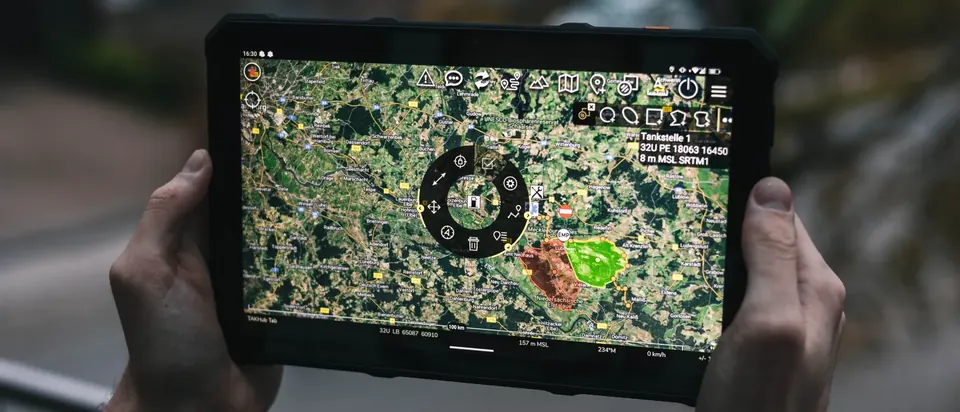
ATAK is an open situational awareness app for emergency services and armed forces. On smartphone, tablet or PC, everyone sees the same map with positions and markers, even without mobile coverage. We set up ATAK for your organization and train your people.
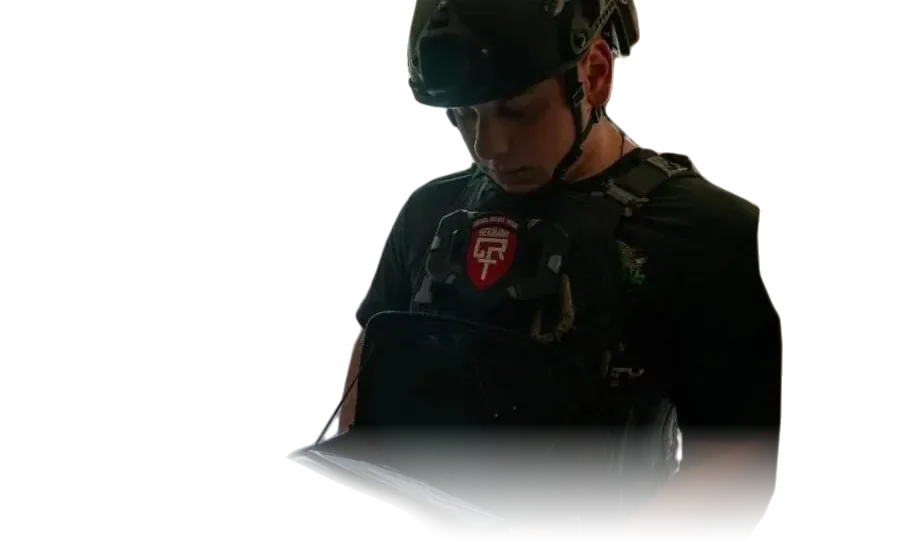
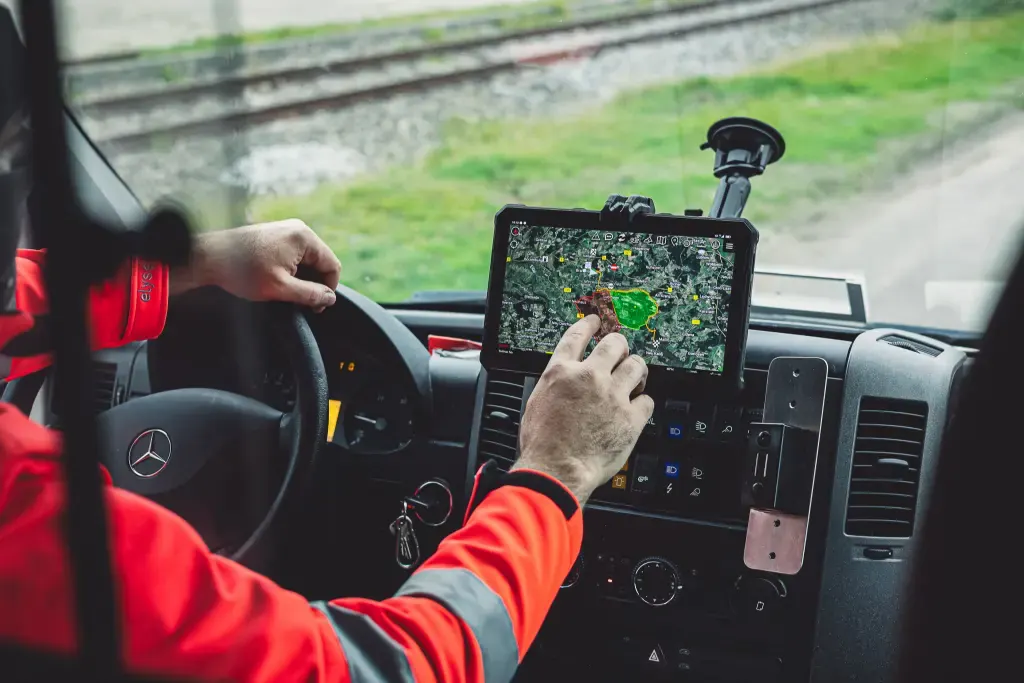
Short silent film: a responder stands in floodwater looking at a smartphone. In an emergency vehicle a tablet shows the ATAK map, an operations center follows a large event, and a responder uses ATAK on a chest rig. It ends with aerial shots and Earth seen from space.
What are you planning?
Emergency services & armed forces
You want to use ATAK
For fire services, civil protection, police, relief organizations, security and armed forces: server, devices, training and operation.
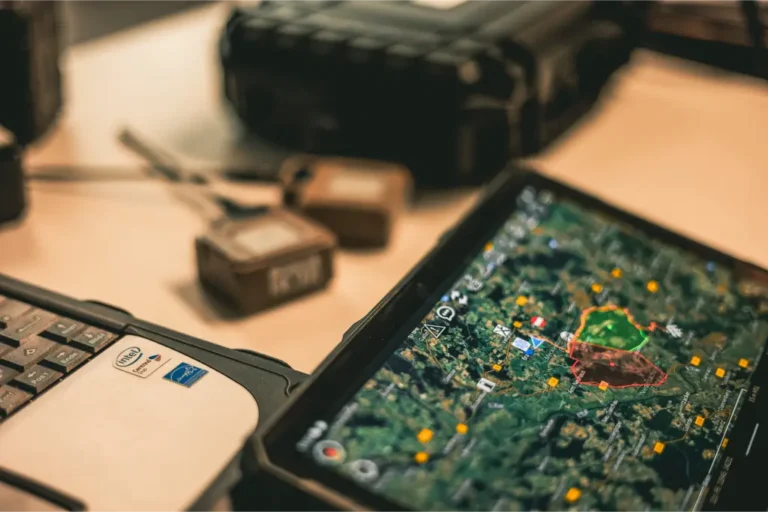
ATAK stands for Android Team Awareness Kit. The app shows everyone involved in an operation the same map with positions, markers, photos and messages.
ATAK was developed for the US Department of Defense, and armed forces work with the military version. The civilian version, ATAK-CIV, is open source and free, and police, fire services, civil protection agencies and relief organizations use it worldwide. iTAK runs on iPhone and iPad, WinTAK on Windows.
Four questions ATAK answers in the field
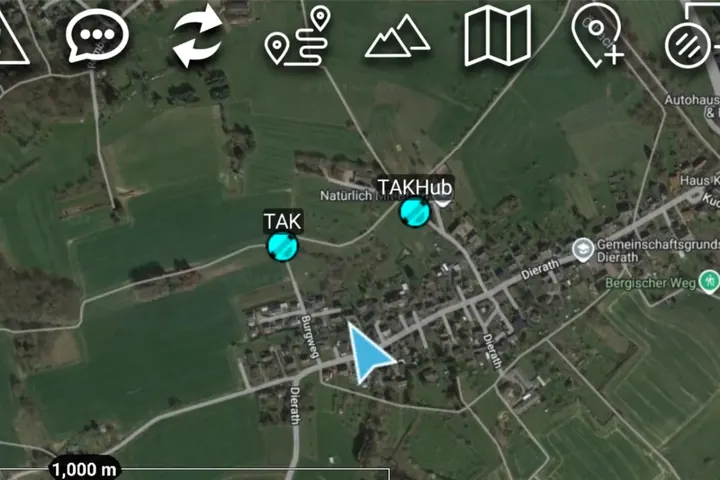
Where are my people?
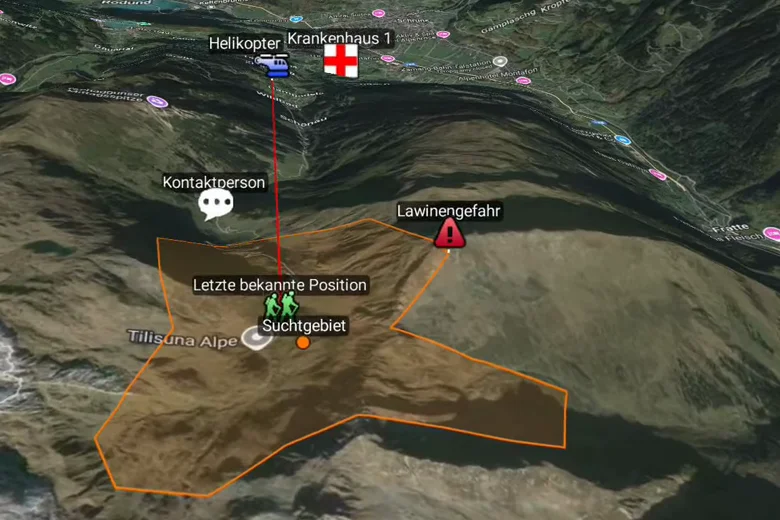
Every responder appears on the map with position, heading and status, on every device at the same time.
Positions · Groups · Status
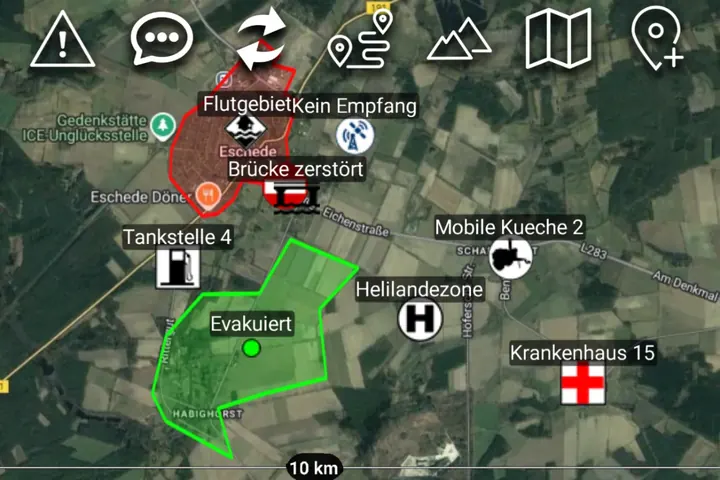
Where is the danger?
Draw hazard areas, exclusion zones and obstacles. Every marker shows up for everyone right away, including in vehicles.
Markers · Drawing · Tactical symbols
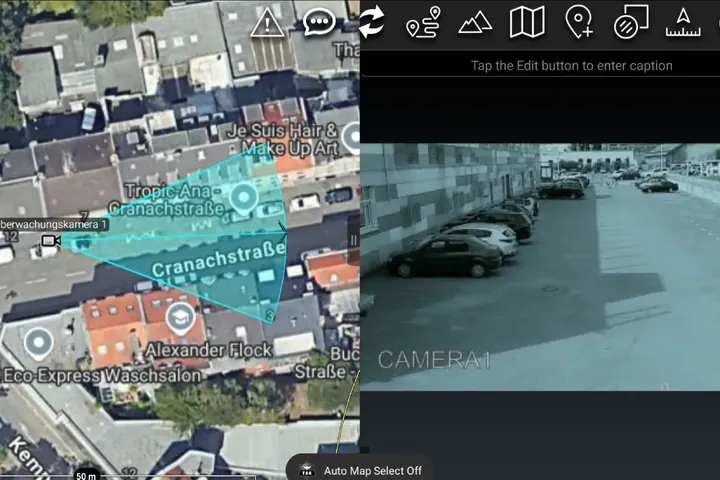
What is happening right now?
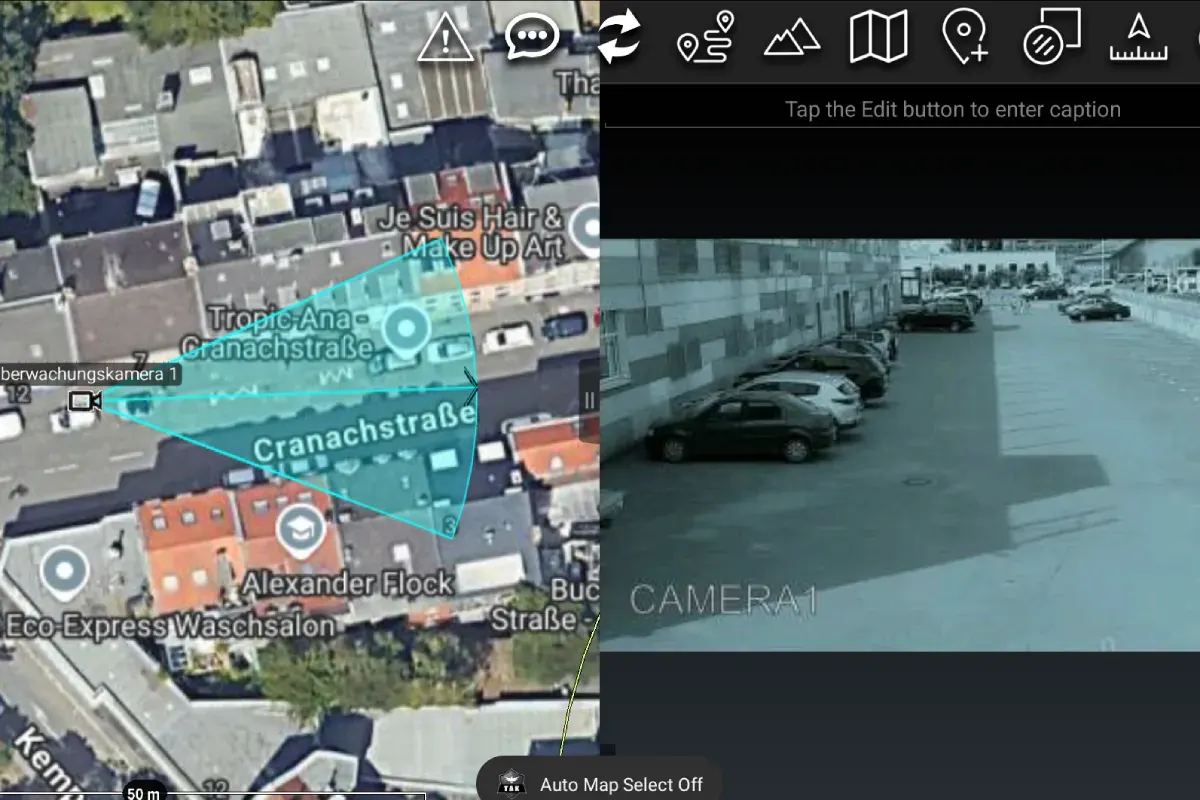
Drone footage, camera feeds, sensor readings and messages appear on the map where they originate.
Video · Sensors · Chat
What is the plan?
Plan sectors, routes and assembly points and share documents as a data package. Offline maps keep working without a network.
Planning · Data packages · Offline maps
Chat and groups Messages to everyone, to groups or to individuals.
Data packages Share maps, photos, plans and settings as one package.
Mesh radio Positions and messages with no mobile network at all.
Measuring and navigation Distances, bearings, elevation profiles and routes.
The TAK ecosystem
Besides the app, a TAK system includes a server, radios and plugins. This lets several units or entire organizations see the same picture.
Own unitsPartnerConnectionSchematic view
01 / 06 · Devices
ATAK, iTAK, WinTAK, WebTAK
Responders use ATAK on Android or iTAK on iPhone and iPad. At the command post, WinTAK runs on Windows or WebTAK in the browser.
02 / 06 · TAK Server
Distributes data, manages access
The TAK Server sends positions, messages and data packages to all connected devices and manages users, groups and certificates.
We install it on your own infrastructure or run it for you.
03 / 06 · Mesh radio
Even where there is no network
Mesh radios on 868 MHz relay positions and messages from device to device. A gateway links the mesh to the server as soon as a network is available anywhere.
EU-compliant
CE
Meshtastic
04 / 06 · Drone & camera
Video right on the map
Drones, body cams and fixed cameras stream their video into the operating picture. Incident command sees the drone feed on the map exactly where the drone is flying.
05 / 06 · Sensors & plugins
Connecting sensors and robots
Through plugins, ATAK exchanges data with sensors, robots, laser rangefinders and specialist applications. The format is Cursor on Target (CoT), an open messaging standard.
If two organizations each run their own server, federation lets them share selected data, for example during a joint major incident. Each keeps control of its own server.
All together
Start small, expand later
A server and a few devices are enough to get started. Radio, video and plugins can be added later.
Why ATAK?
Unlike most situational awareness software, ATAK is not owned by a commercial vendor. Its source code and data format are open.
Open source and free
ATAK-CIV and TAK Server are open source, iTAK and WinTAK are free. There are no per-user or per-device licenses.
Open standard
All data uses Cursor on Target (CoT), which other software can read and write.
Large plugin ecosystem
Anyone can develop plugins. Many already exist for drones, radios, sensors and specialist applications.
Independent operation
The whole system can run on your own infrastructure. You are not tied to any vendor or service provider, including us.
Off-the-shelf devices
Android smartphones and tablets, iPhone and iPad, Windows PCs. The devices you already have are often enough.
Works without a network
If the mobile network goes down, offline maps and mesh radio keep working.
Across organizations
Federation connects organizations that run their own servers. TAK is widely used by agencies and relief organizations around the world.
You build robots, sensors, rangefinders or radios, and your customers work with ATAK. We develop the plugin and adapt it to every new ATAK version, roughly every three months.
You describe your organization and operations, and we tell you honestly whether ATAK is a good fit. The consultation is free.
Concept and quote
A written quote listing server, operating model, devices and training as separate line items.
Setup
We set up the server, certificates and devices, on your own servers or with a hosting provider in Germany, and prepare maps of your area.
On-site training
Your teams practice realistic scenarios on their own devices. Administrators learn to run the system on their own.
Handover or operation
Your administrators then take over the system with full access, or we keep running it for you. Either way, we’re there when you have questions.
What does it cost? That depends on the scope. In the free initial consultation, we give you a range. Costs and process
Marcel Neuroth on deployment in Ukraine
Who is behind TAK Hub
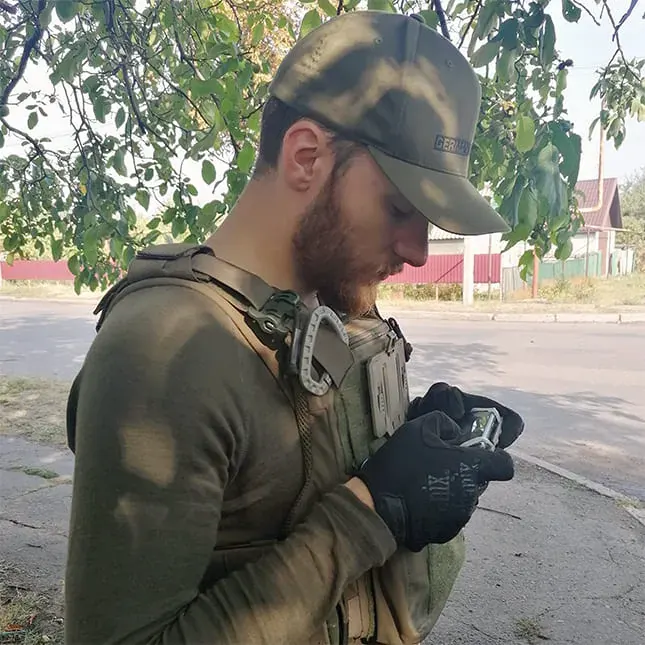
Marcel Neuroth founded TAK Hub and is managing director of TAKHUB GmbH. He served as a soldier in Afghanistan and has used ATAK himself on humanitarian missions in Ukraine.
Our team trains with scenarios your people know and set up systems that stay easy to use in the field. We currently support projects in Europe, Latin America and Southeast Asia.
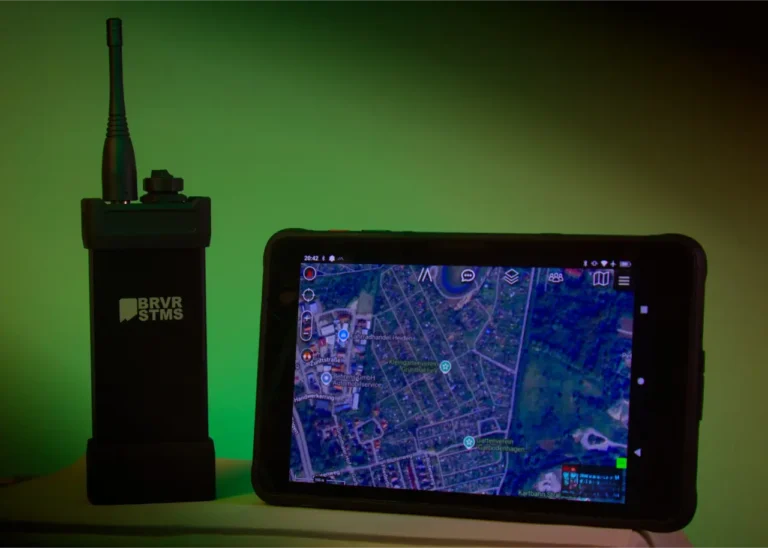
We compare mesh radios for ATAK, including Meshtastic, Doodle Labs and Braver Systems, and explain which of them…
Frequently asked questions
Didn’t find your question? Call or write to us.
Can we use ATAK as a civilian organization?
Yes. ATAK-CIV is the civilian version and is freely available to agencies, relief organizations and companies, as are iTAK, WinTAK and the TAK Server. Armed forces obtain the military version through their official channels.
Where is our data stored?
On your own TAK Server, either on your premises or in a data center in Germany. If we run the server for you, we sign a GDPR data processing agreement with you.
Does ATAK work without a mobile network?
Yes. With mesh radio, for example Meshtastic on 868 MHz, devices exchange positions, messages and markers directly. We only use EU-compliant radios with CE marking. Photos and video need a data connection or broadband mesh.
What devices do we need?
ATAK runs on Android smartphones and tablets, iTAK on iPhone and iPad, WinTAK on Windows PCs. You can often keep using your existing devices. For outdoor use, we supply rugged devices that are ready to go.
How much does it cost to get started?
It depends heavily on the scope: training one unit costs something very different from a dedicated system for several organizations. In a free initial consultation we work out what you need, and then you get a written quote. How the costs break down
Do you also develop plugins for our product?
Yes. For manufacturers and integrators, we develop ATAK plugins, connect devices via CoT or TAK Server and maintain the plugins for every new ATAK release. More about plugin development
Talk to our experts
Tell us briefly who you are and what you are planning. We’ll get back to you to suggest a meeting time. The initial consultation is free.
To provide you with an optimal experience, we use technologies such as cookies to store and/or access device information. If you consent to these technologies, we may process data such as browsing behavior or unique IDs on this website. If you do not give or withdraw your consent, certain features and functions may be impaired.
Functional
Always active
The technical storage or access is strictly necessary for the legitimate purpose of enabling the use of a specific service expressly requested by the subscriber or user, or for the sole purpose of carrying out the transmission of a communication over an electronic communications network.
Preferences
The technical storage or access is necessary for the legitimate purpose of storing preferences that have not been requested by the subscriber or user.
Statistics
Technical storage or access for statistical purposes only.Technical storage or access used solely for anonymous statistical purposes. Without a subpoena, the voluntary consent of your Internet service provider or additional records from third parties, the information stored or accessed for this purpose alone cannot generally be used to identify you.
Marketing
The technical storage or access is necessary to create user profiles, to send advertising or to track the user on a website or across several websites for similar marketing purposes.